> For the complete documentation index, see [llms.txt](https://docs.coda.co/llms.txt). Markdown versions of documentation pages are available by appending `.md` to page URLs; this page is available as [Markdown](https://docs.coda.co/changelog/legacy-changelog/cambodia-e-wallet-pipay-payment-flow-enhancement.md).
# Cambodia e-Wallet - Pipay Payment Flow Enhancement
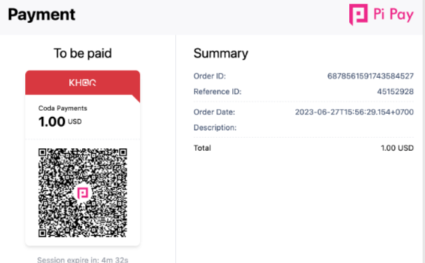
We are thrilled to announce an exciting update for our Pipay eWallet payment channel in Cambodia! Paying with Pi Pay has now become even more convenient and seamless. Whether you're using a browser or a mobile device, you can easily complete transactions by scanning the QR code on the Bakong app or any other Bakong member bank app. This enhanced payment method extends beyond the Pipay wallet, providing you with added flexibility and ease.
## Payment Flow Update:
* Browser: Users can now scan a QR code to make payments with Pi Pay directly from the Bakong Application or any other Bakong Member Banking App.
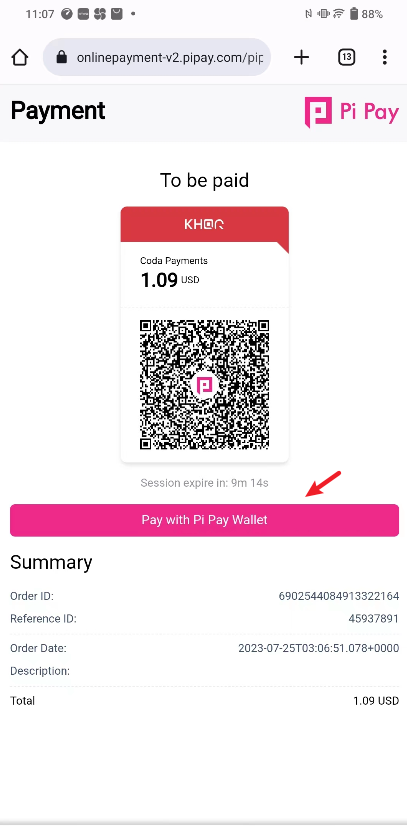
* Mobile: Similar to the browser flow, users can save and scan QR codes to make payments with Pi Pay from the Bakong Application or any other Bakong Member Banking App.\
Pi Pay Wallet: If the user chooses to pay via "Pi Pay Wallet," they will be redirected to the Pi Pay Application to enter their Wallet PIN Number to confirm the payment.
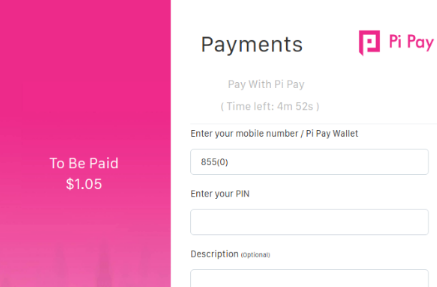
### Before
### After
## Impact and Benefits:
* The updated payment flow provides a more streamlined and efficient payment process for users, eliminating the need to manually input wallet numbers and PINs.
* By introducing QR code scanning for payments, transactions can be completed quickly and securely, enhancing overall payment convenience.
* Users can enjoy a more seamless and user-friendly payment experience, increasing customer satisfaction.
We are dedicated to continually improving our payment channels to provide the best user experience. Should you have any questions or feedback regarding this update, please feel free to reach out to our support team.
Thank you for your continued support and collaboration.
---
# Agent Instructions
This documentation is published with GitBook. GitBook is the documentation platform designed so that both humans and AI agents can read, navigate, and reason over technical content effectively. Learn more at gitbook.com.
## Querying This Documentation
If you need additional information that is not directly available in this page, you can query the documentation dynamically by asking a question.
Perform an HTTP GET request on the current page URL with the `ask` query parameter, and the optional `goal` query parameter:
```
GET https://docs.coda.co/changelog/legacy-changelog/cambodia-e-wallet-pipay-payment-flow-enhancement.md?ask=&goal=
```
`ask` is the immediate question: it should be specific, self-contained, and written in natural language.
`goal` is optional and describes the broader end goal you are ultimately trying to accomplish on behalf of the user. GitBook uses it to tailor the answer towards what is most useful for that goal.
The response will contain a direct answer to the question and relevant excerpts and sources from the documentation.
Use this mechanism when the answer is not explicitly present in the current page, you need clarification or additional context, or you want to retrieve related documentation sections.