> For the complete documentation index, see [llms.txt](https://docs.coda.co/llms.txt). Markdown versions of documentation pages are available by appending `.md` to page URLs; this page is available as [Markdown](https://docs.coda.co/changelog/legacy-changelog/new-channel-announcement-dito.md).
# New Channel Announcement: Dito
📢We are excited to announce the Philippine new payment channel, "Dito," in Codapay !!
***
## Here are some key details about this new payment option:
📱 Carrier Billing Channel: Dito operates as a carrier billing channel, allowing users to make purchases and pay using Dito prepaid account.
💲 Minimum Price Point Limit: With Dito, users can make transactions with a minimum price point limit of only **0.1 PHP** and there is no maximum price point limit.
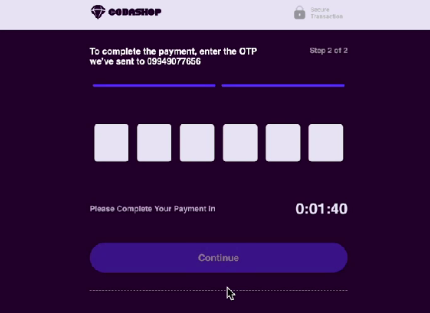
🔒 Authentication via OTP: Dito employs One-Time Password (OTP) authentication.
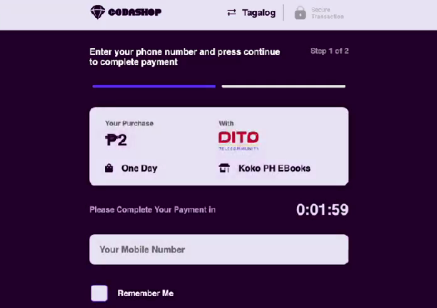
⏰ Transaction Expiry: Please note that transactions made through Dito have a validity period of 2 minutes. Users may complete payment within this timeframe to ensure a successful transaction.
📲 Prepaid Only: Dito supports prepaid numbers only, don't have postpaid just yet.
💻 Integration Details: For merchants and developers, please be aware that Dito integration supports the payment page API. Unfortunately, the Backend API integration for Dito is not currently available. We appreciate your understanding and cooperation in this matter.
***
## Flow Description
1. User selects Dito carrier billing as a payment channel, inputs his MSISDN and click continue
2. User inputs OTP received and click on continue
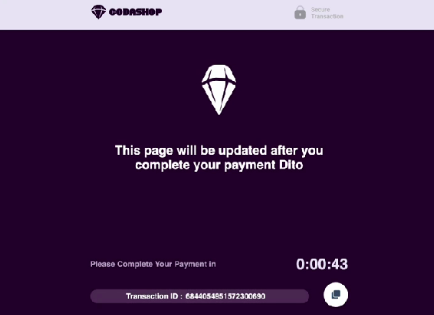
3. Coda asks for the status
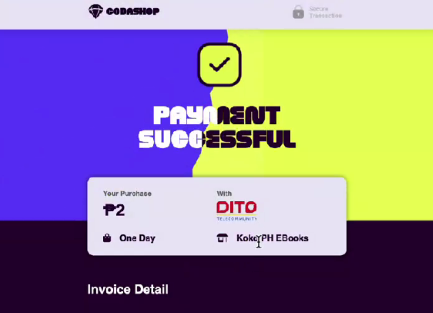
4. Coda displays success page
Should you have any questions or require further assistance regarding Dito or any other payment-related inquiries, please don't hesitate to reach out to our customer support team.
Thank you for your continued support, and we look forward to serving you with the new Dito payment channel!
---
# Agent Instructions
This documentation is published with GitBook. GitBook is the documentation platform designed so that both humans and AI agents can read, navigate, and reason over technical content effectively. Learn more at gitbook.com.
## Querying This Documentation
If you need additional information that is not directly available in this page, you can query the documentation dynamically by asking a question.
Perform an HTTP GET request on the current page URL with the `ask` query parameter, and the optional `goal` query parameter:
```
GET https://docs.coda.co/changelog/legacy-changelog/new-channel-announcement-dito.md?ask=&goal=
```
`ask` is the immediate question: it should be specific, self-contained, and written in natural language.
`goal` is optional and describes the broader end goal you are ultimately trying to accomplish on behalf of the user. GitBook uses it to tailor the answer towards what is most useful for that goal.
The response will contain a direct answer to the question and relevant excerpts and sources from the documentation.
Use this mechanism when the answer is not explicitly present in the current page, you need clarification or additional context, or you want to retrieve related documentation sections.