> For the complete documentation index, see [llms.txt](https://docs.coda.co/llms.txt). Markdown versions of documentation pages are available by appending `.md` to page URLs; this page is available as [Markdown](https://docs.coda.co/codashop-and-distribution/submit-inventory-skus-details/1.-creating-a-new-sku-on-portal.md).
# 1. Creating a new SKU on Portal
Ready to add a new SKU on Codashop? Follow this step-by-step guide to lead you throughout the process!
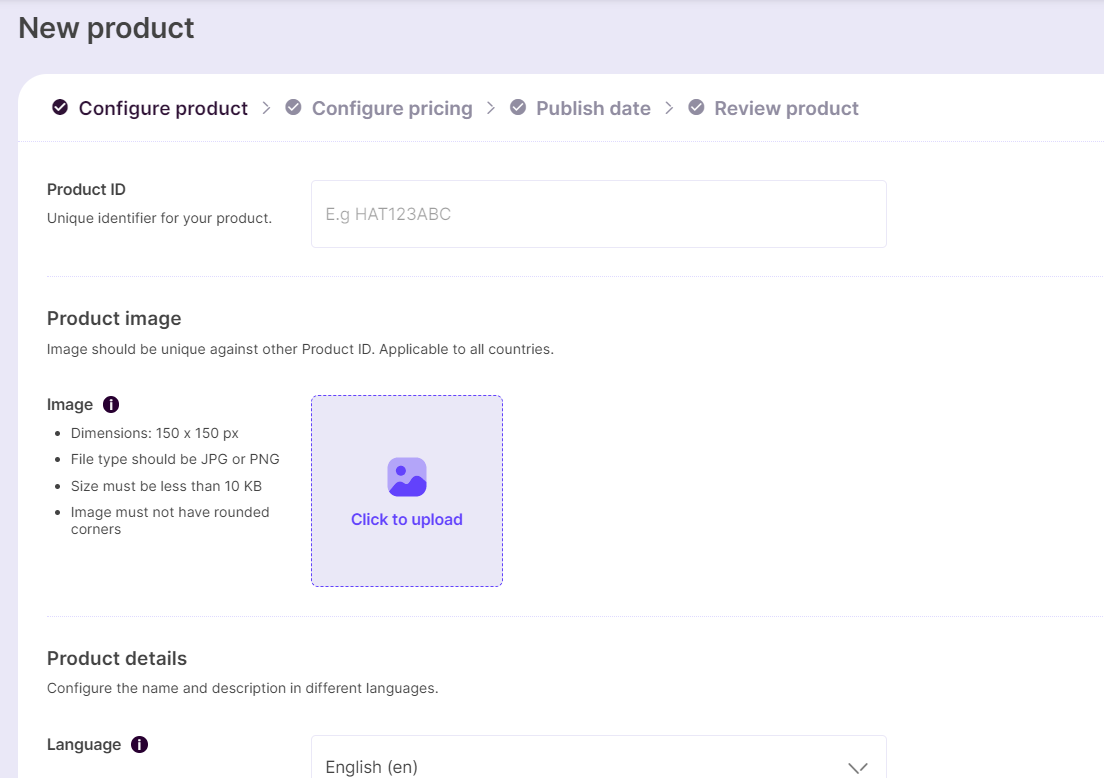
## Step 1: Click on ‘**New Product**’ and Add Product Details
**Product ID / Product SKU ID** is the unique identifier for the product that you are planning to sell on Codashop. This value would be sent via the Codashop Integration API during transactions.
{% hint style="info" %}
📘 *Examples: diamonds\_50, HAT123ABC, abc.com/skin123, etc*
{% endhint %}
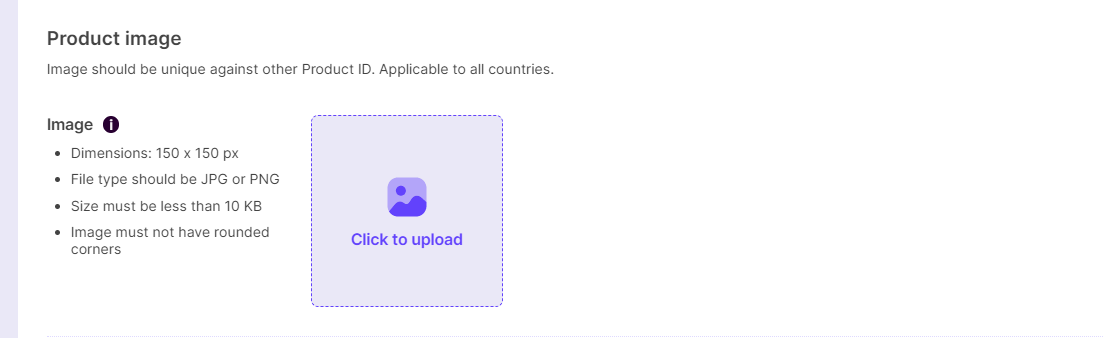
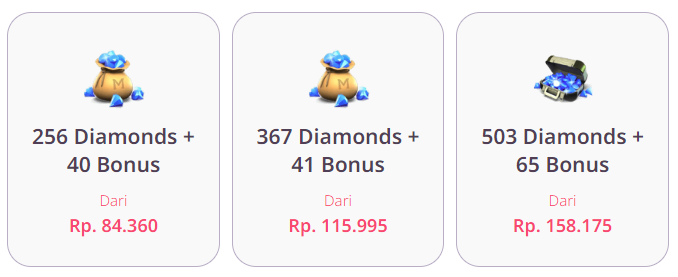
**Product Image** is the image you wish to be shown as the SKU's image on Codashop. *Note that the images should have a **transparent background.***
Sample image of how SKU images would look on Codashop
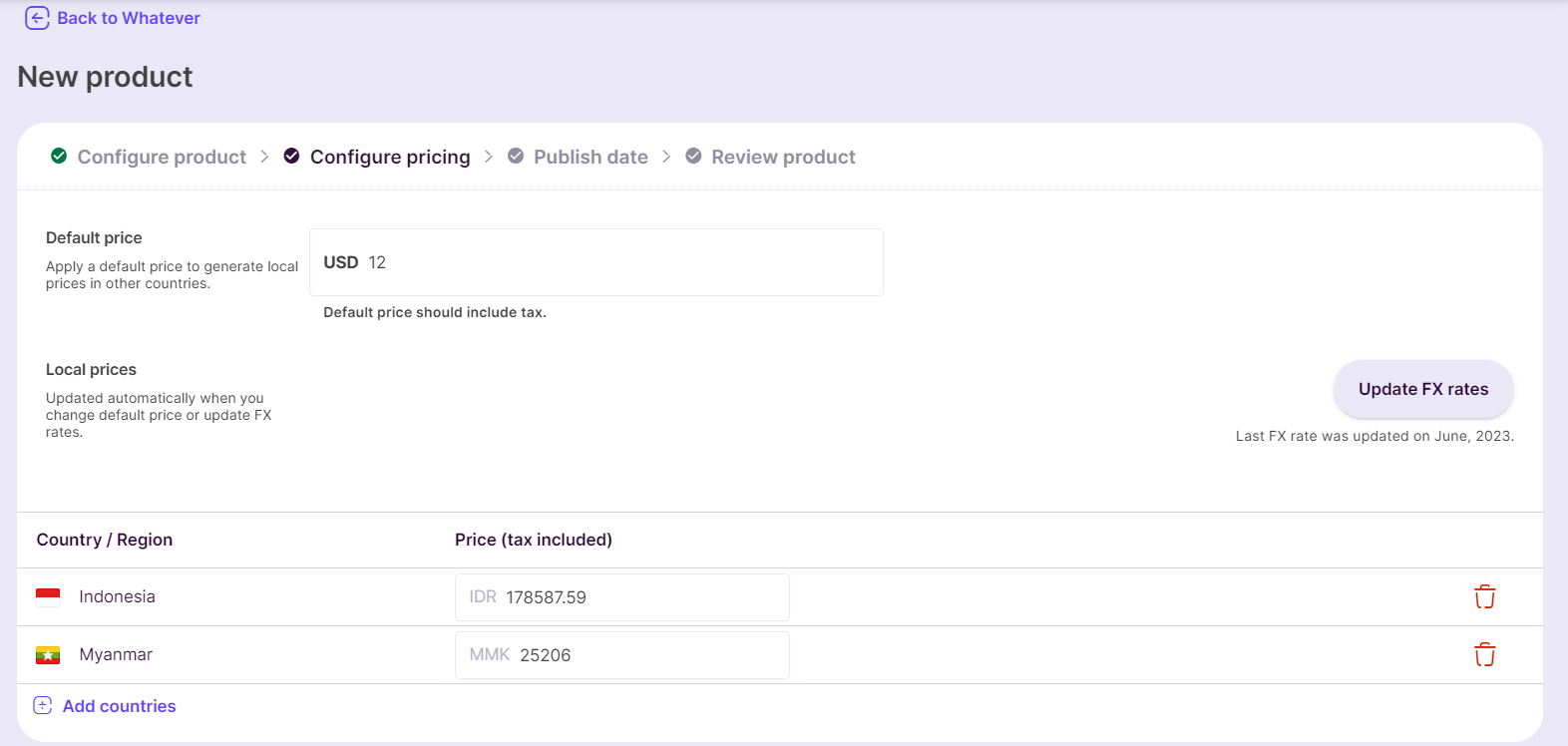
## Step 2: Configure Pricing
Add the default USD price and select the countries you want the SKU to be listed in. The corresponding prices per country will be suggested in local currencies.
The FX rates are for the current month. You can also edit the local prices if you wish to further customize per country.
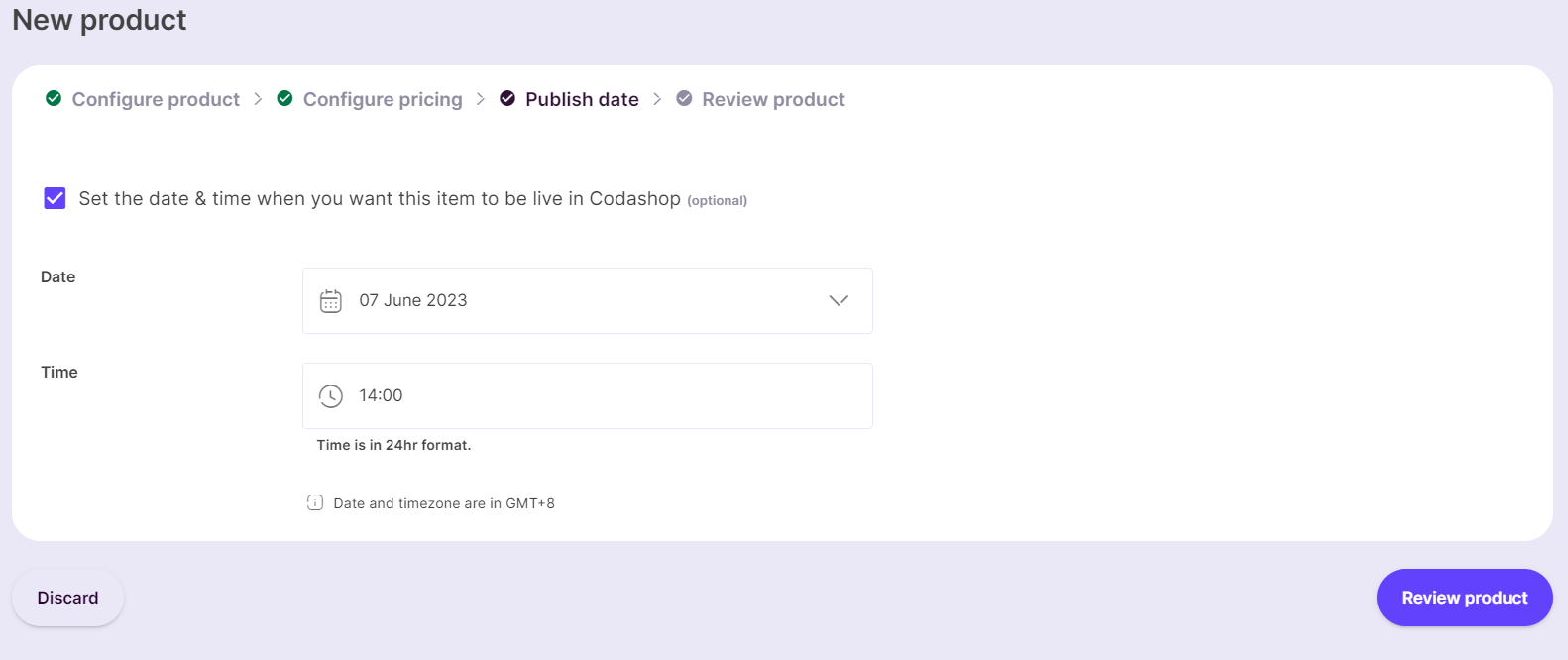
## Step 3: Setting the Publish date
You can select the date and time when you wish to launch the SKU on Codashop.
## Step 4: Publish for Review
Finally, review the title details and click on **Save to Drafts** or **Publish for review**.
{% hint style="info" %}
*Note: Please be advised that the pricing review for your requested services will take a **maximum of 3 business days** to complete.*
{% endhint %}
That's it! Your SKU is now ready to be submitted for review! Move on to the next section for the final sprint!
---
# Agent Instructions
This documentation is published with GitBook. GitBook is the documentation platform designed so that both humans and AI agents can read, navigate, and reason over technical content effectively. Learn more at gitbook.com.
## Querying This Documentation
If you need additional information that is not directly available in this page, you can query the documentation dynamically by asking a question.
Perform an HTTP GET request on the current page URL with the `ask` query parameter, and the optional `goal` query parameter:
```
GET https://docs.coda.co/codashop-and-distribution/submit-inventory-skus-details/1.-creating-a-new-sku-on-portal.md?ask=&goal=
```
`ask` is the immediate question: it should be specific, self-contained, and written in natural language.
`goal` is optional and describes the broader end goal you are ultimately trying to accomplish on behalf of the user. GitBook uses it to tailor the answer towards what is most useful for that goal.
The response will contain a direct answer to the question and relevant excerpts and sources from the documentation.
Use this mechanism when the answer is not explicitly present in the current page, you need clarification or additional context, or you want to retrieve related documentation sections.