> For the complete documentation index, see [llms.txt](https://docs.coda.co/llms.txt). Markdown versions of documentation pages are available by appending `.md` to page URLs; this page is available as [Markdown](https://docs.coda.co/https-coda-payments.gitbook.io-zhong-wen-coda-private-technical-documentation/coda-hou-tai/coda-hou-tai-fu-lu/biao-ti-nei-rong-ti-jiao-gui-fan-yu-jian-yi.md).

# 标题内容提交规范与建议

## 档位内容提交最佳实践

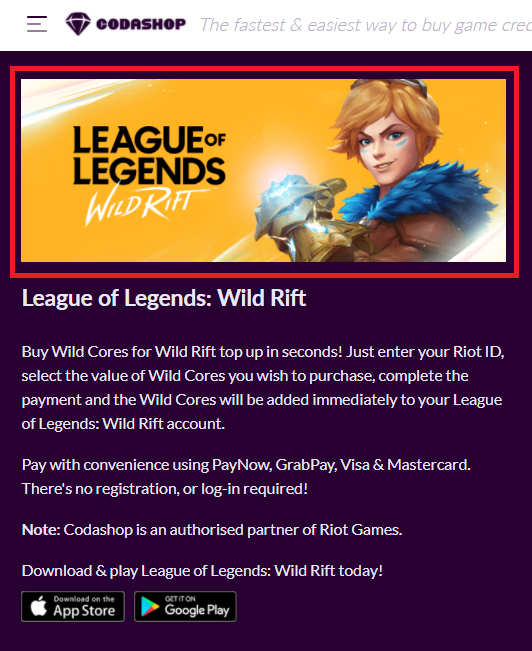
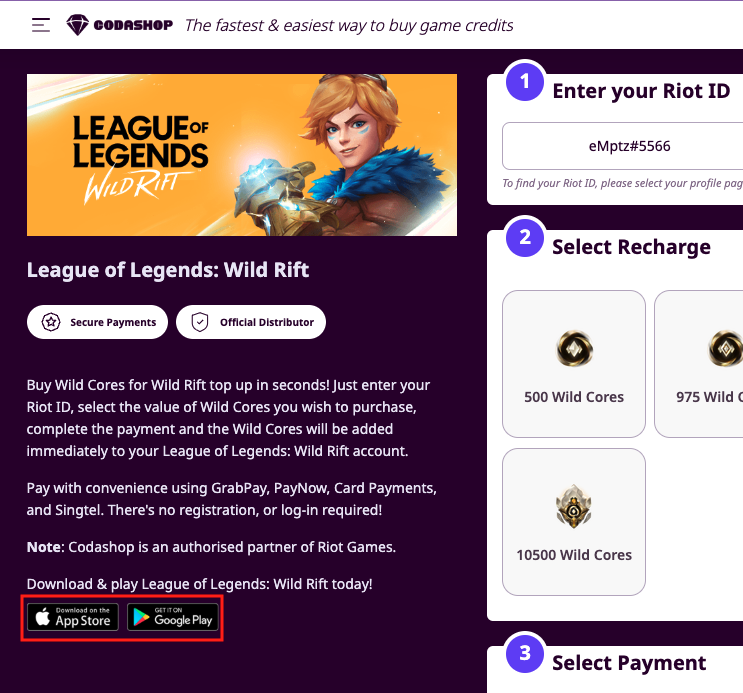
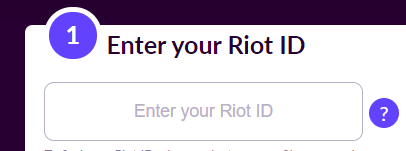
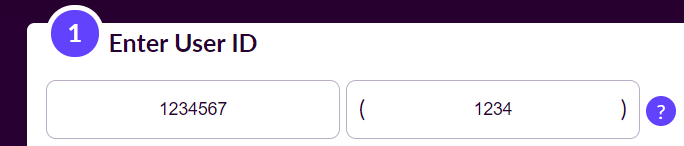
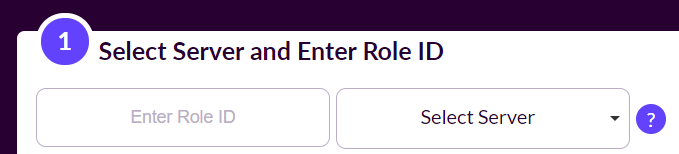
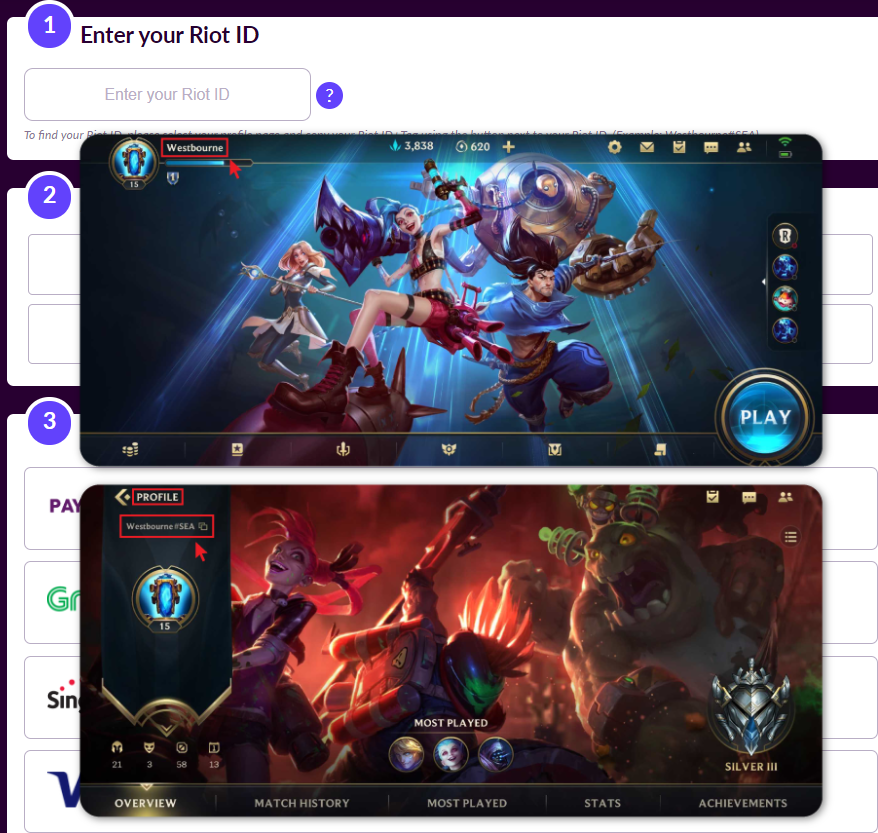
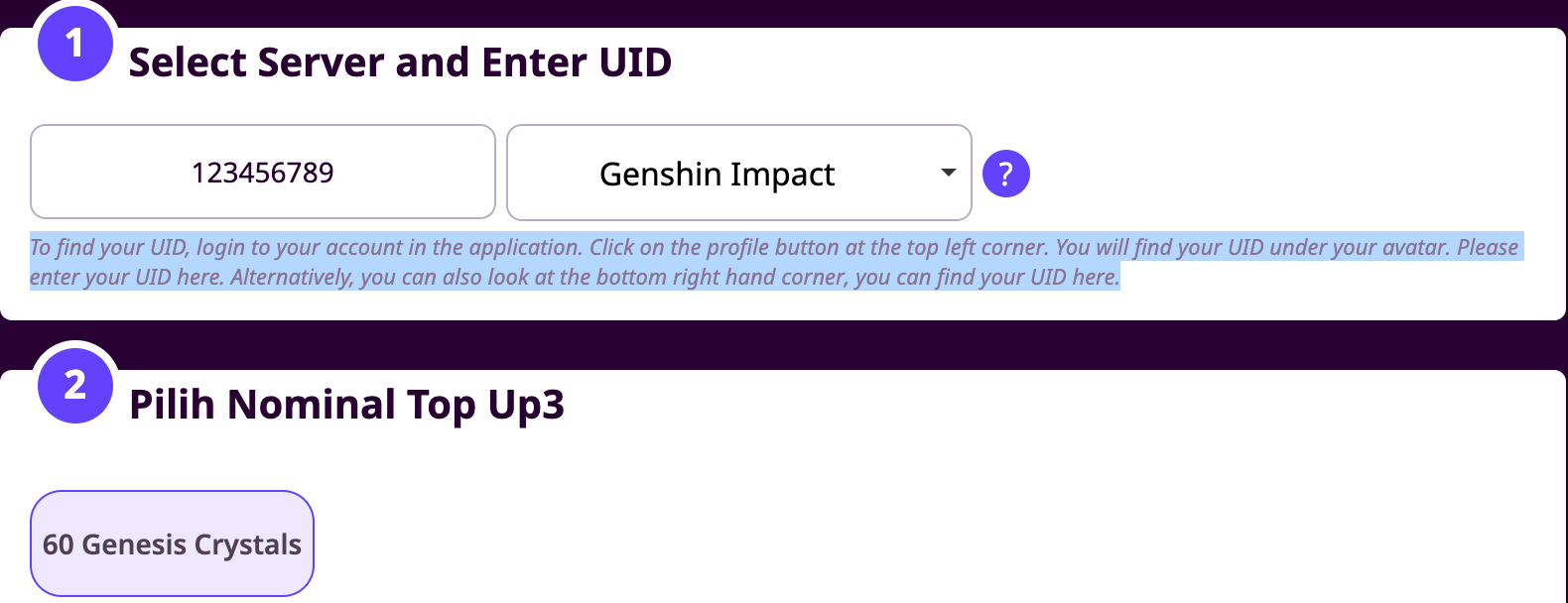
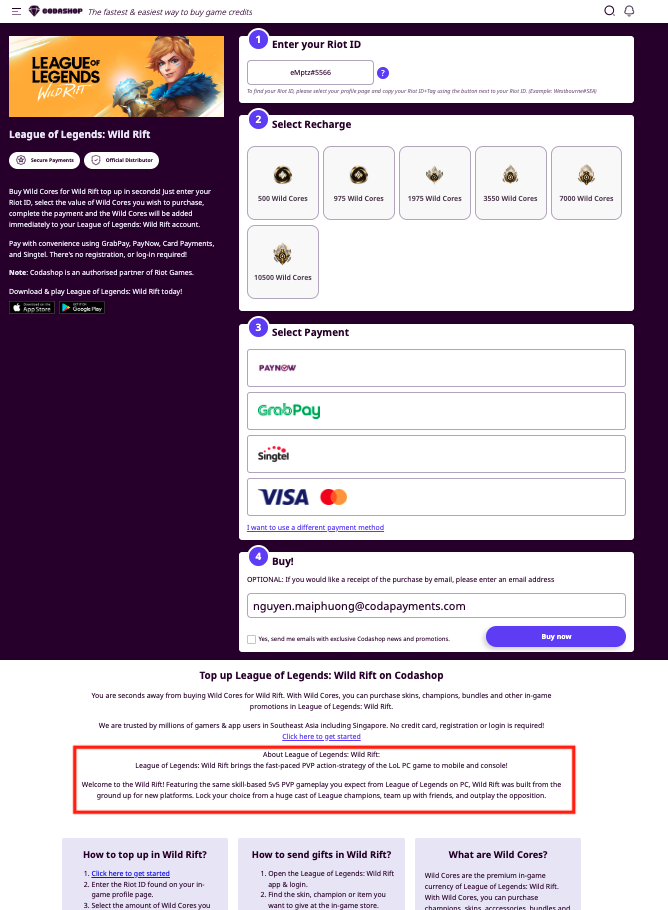
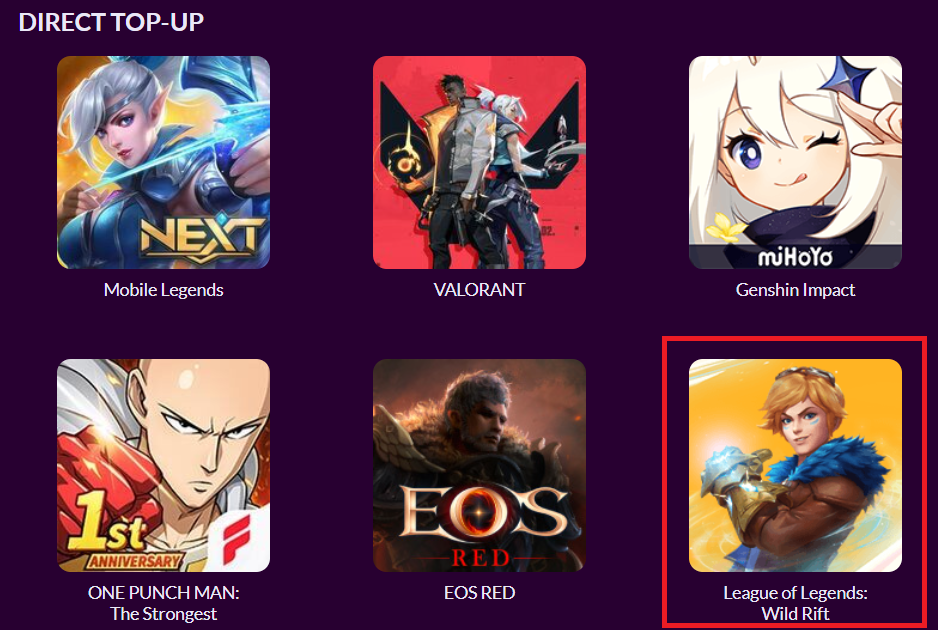
<table><thead><tr><th width="188.90887451171875">字段名（Field Name）</th><th width="234.416748046875">说明</th><th>验证要求（Validation）</th></tr></thead><tbody><tr><td><strong>Tile Image</strong></td><td>您的标题图标，显示在 Codashop 各国家首页</td><td>- 尺寸：<strong>178px × 178px</strong><br>- 文件格式：<strong>JPG 或 PNG</strong><br>- 文件大小小于 <strong>25KB</strong><br>- 不可为圆角图标</td></tr><tr><td><strong>Banner Image</strong></td><td>标题横幅图，显示在 Codashop 产品页面上方</td><td>- 尺寸：<strong>640px × 241px</strong><br>- 文件格式：<strong>JPG 或 PNG</strong><br>- 文件大小小于 <strong>100KB</strong></td></tr><tr><td><strong>Links for your title</strong></td><td>显示在产品页面的游戏下载链接或官网链接</td><td>- 支持链接类型：App Store、Google Play、Android 直链、PC 下载、官网网址<br>- 所有链接必须为完整有效的 URL</td></tr><tr><td><strong>User ID input</strong></td><td>玩家在 Codashop 页面输入游戏 ID 以完成充值</td><td>- 由 Coda 集成团队设置输入字段<br>- 类型选项：<br> • 用户 ID<br> • 用户 ID + 服务器（下拉选项）<br> • 用户 ID + 服务器（输入框）<br> • 其他自定义<br>- 名称/验证规则限 1,000 字符内</td></tr><tr><td><strong>Helper Image</strong></td><td>显示在用户 ID 输入栏旁的小图示，帮助用户理解如何找到游戏 ID</td><td>- 格式：<strong>JPG / PNG / GIF</strong><br>- 静态图：小于 <strong>150KB</strong><br>- GIF：小于 <strong>1MB</strong></td></tr><tr><td><strong>Helper text</strong></td><td>简短说明，引导用户如何找到其游戏 ID 或服务器 ID</td><td>- 仅支持<strong>拉丁字符</strong><br>- 建议仅使用一句话（最多 1,000 字符）</td></tr><tr><td><strong>Title Description</strong></td><td>标题说明，显示在产品页面充值表单下方</td><td>- 最多支持 <strong>4,000 字符</strong></td></tr><tr><td><strong>Voucher Redeem Button URL</strong></td><td>若您销售兑换码，此处为用户点击“立即兑换”后跳转的网址</td><td>- 必须为完整有效的 URL</td></tr><tr><td><strong>Voucher Redemption Instructions</strong></td><td>关于兑换码使用的附加说明，显示在订单成功页面的“立即兑换”模块下方</td><td>- 建议限制在 <strong>1,000 字符以内</strong></td></tr><tr><td><strong>Order details product image</strong></td><td>在订单详情页中显示的产品图片（出现在商品名称旁）</td><td>- 格式要求：<strong>JPG 或 PNG</strong></td></tr><tr><td><strong>Important Note</strong></td><td>提供给刚完成购买的用户的提示信息，显示在订单详情页面的“订单详情”下方</td><td>- 建议最多 <strong>1,000 字符</strong></td></tr></tbody></table>

### 1. 封面图片 / 磁贴图

<figure><img src="https://files.readme.io/cd0f5d1-image1.png" alt=""><figcaption></figcaption></figure>

### 2. 横幅图

<figure><img src="https://files.readme.io/f1ec738-image18.png" alt=""><figcaption></figcaption></figure>

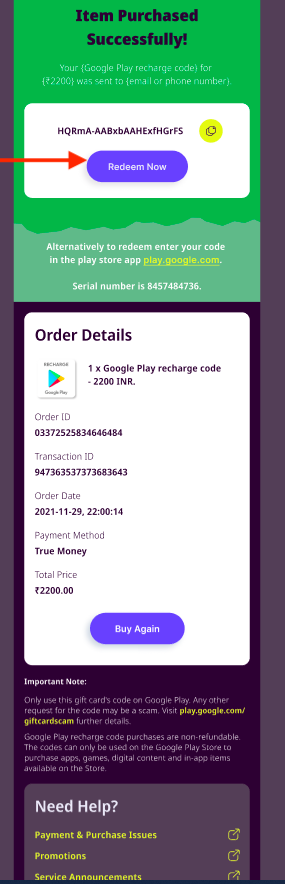
### 3. 产品链接

<figure><img src="https://files.readme.io/ee6396e-image2.png" alt=""><figcaption></figcaption></figure>

### 4. **用户 ID 输入栏、服务器**下拉选项**与服务器输入栏**

<figure><img src="https://files.readme.io/4eecfea-image9.png" alt=""><figcaption></figcaption></figure>

<figure><img src="https://files.readme.io/3ad2d66-image23.png" alt=""><figcaption></figcaption></figure>

<figure><img src="https://files.readme.io/cd25a28-image16.png" alt=""><figcaption></figcaption></figure>

### 5. 辅助图

<figure><img src="https://files.readme.io/a6c73b2-image21.png" alt=""><figcaption></figcaption></figure>

### 6. 辅助说明文字

<figure><img src="https://files.readme.io/789aa34-image4.png" alt=""><figcaption></figcaption></figure>

### 7. 产品说明

<figure><img src="https://files.readme.io/646561c-image11.png" alt=""><figcaption></figcaption></figure>

### 8.兑换跳转链接

<figure><img src="https://files.readme.io/ea2d064-image8.png" alt=""><figcaption></figcaption></figure>

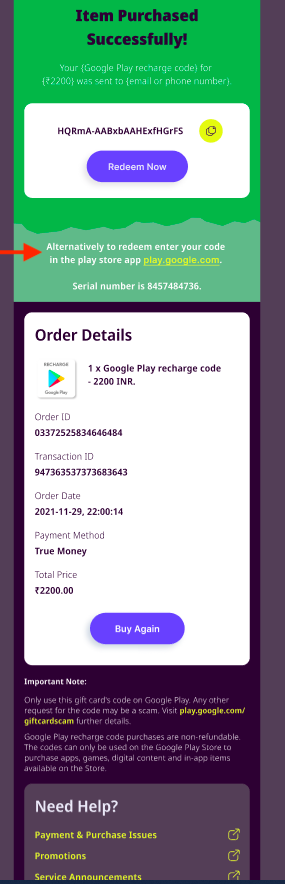
### 9. 兑换码使用说明

<figure><img src="https://files.readme.io/448a843-image20.png" alt=""><figcaption></figcaption></figure>

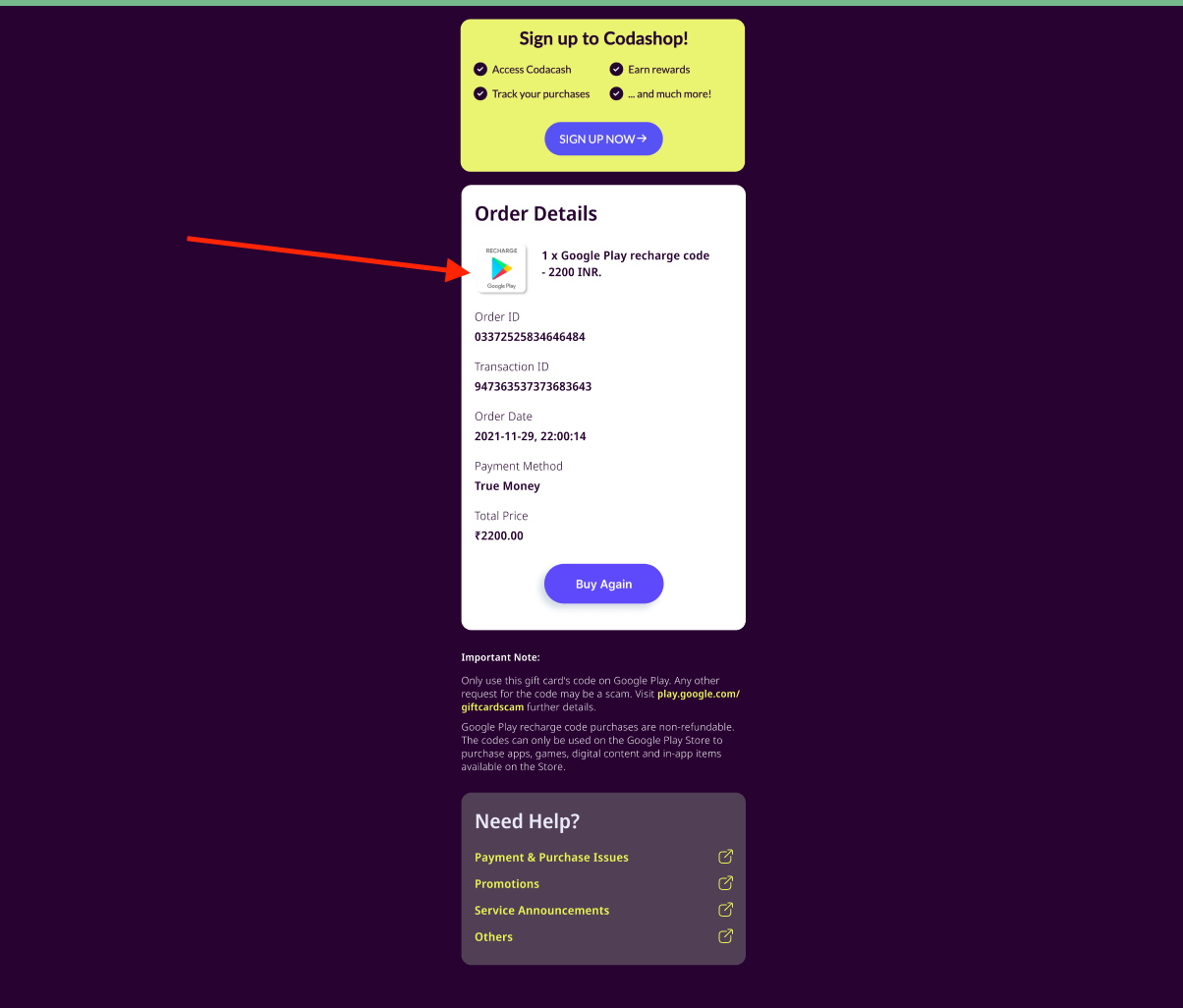
### 10. 订单商品图

<figure><img src="https://files.readme.io/47ac9a4-image24.png" alt=""><figcaption></figcaption></figure>

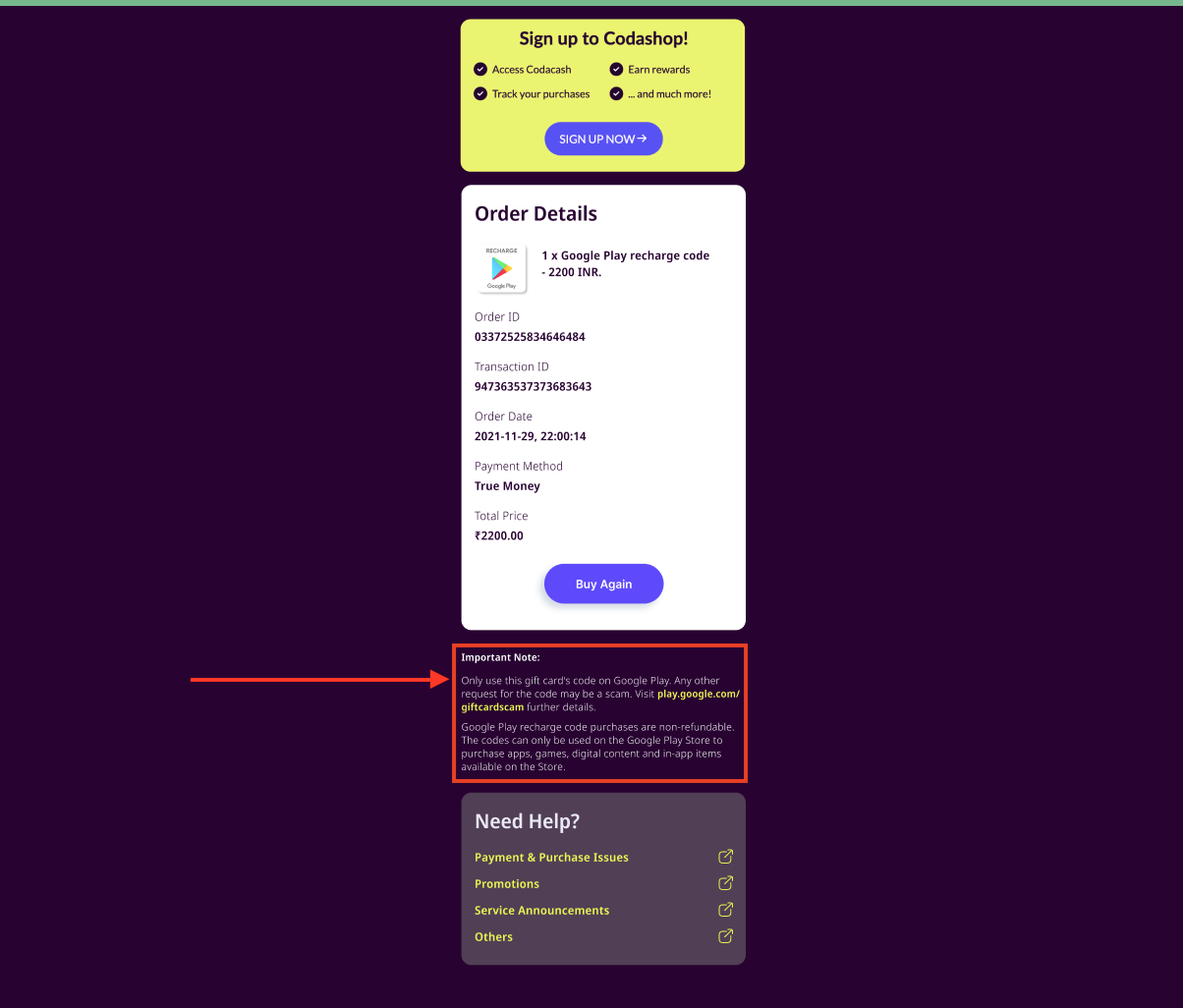
### 11. 订单附加说明 / 重要提示

<figure><img src="https://files.readme.io/5cf255e-image19.png" alt=""><figcaption></figcaption></figure>


---

# Agent Instructions
This documentation is published with GitBook. GitBook is the documentation platform designed so that both humans and AI agents can read, navigate, and reason over technical content effectively. Learn more at gitbook.com.

## Querying This Documentation
If you need additional information that is not directly available in this page, you can query the documentation dynamically by asking a question.

Perform an HTTP GET request on the current page URL with the `ask` query parameter, and the optional `goal` query parameter:

```
GET https://docs.coda.co/https-coda-payments.gitbook.io-zhong-wen-coda-private-technical-documentation/coda-hou-tai/coda-hou-tai-fu-lu/biao-ti-nei-rong-ti-jiao-gui-fan-yu-jian-yi.md?ask=<question>&goal=<endgoal>
```

`ask` is the immediate question: it should be specific, self-contained, and written in natural language.
`goal` is optional and describes the broader end goal you are ultimately trying to accomplish on behalf of the user. GitBook uses it to tailor the answer towards what is most useful for that goal.

The response will contain a direct answer to the question and relevant excerpts and sources from the documentation.

Use this mechanism when the answer is not explicitly present in the current page, you need clarification or additional context, or you want to retrieve related documentation sections.