> For the complete documentation index, see [llms.txt](https://docs.coda.co/llms.txt). Markdown versions of documentation pages are available by appending `.md` to page URLs; this page is available as [Markdown](https://docs.coda.co/https-coda-payments.gitbook.io-zhong-wen-coda-private-technical-documentation/codapay/codapay-jie-ru-chang-jian-wen-ti/zhi-fu-ye-mian-api/ce-shi-chang-jian-wen-ti-sha-he-sheng-chan-huan-jing.md).
# 测试常见问题 - 沙盒/生产环境
{% hint style="info" %}
📘 **沙盒环境**
{% endhint %}
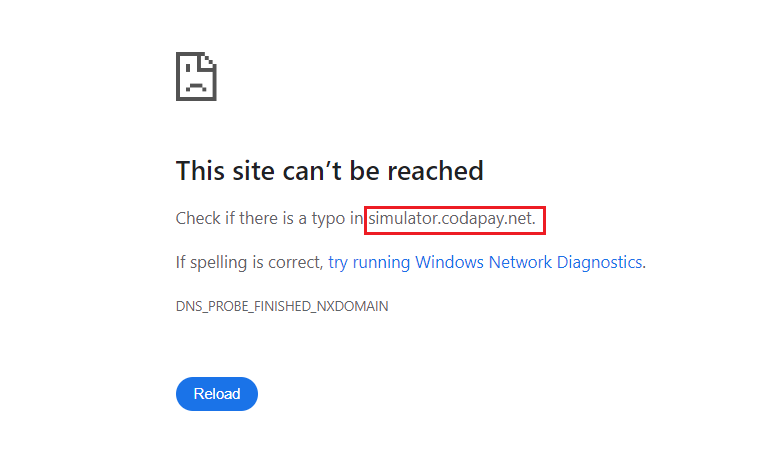
在沙盒测试过程中,无法打开重定向至 的页面。
我们为您提供了以下解决方案:
* 关闭当前标签页 -> 返回支付页面 -> 复制交易 ID -> 使用我们的模拟器完成支付。
> 请参考我们的[支付渠道沙盒环境测试指南](broken://pages/58QmyCdropqipwLiVc3u)。
* 提供Coda订单 ID 与我们的技术团队联系,我们的团队将协助从后台完成支付。
{% file src="/files/3GimDYpAv1Xj1VU4M78f" %}
***
{% hint style="info" %}
📘**正式环境**
{% endhint %}
**完成沙盒测试后,如何激活生产环境?**
1. 您需要在 Coda后台批准电子协议(E-Annex),并配置生产环境的重定向和回调地址URL。
2. 请确保您使用 [inquiryPaymentResult() ](/https-coda-payments.gitbook.io-zhong-wen-coda-private-technical-documentation/codapay/zhi-fu-ye-mian-api-ji-cheng/cha-xun-ding-dan-jie-kou.md)方法来双重确认支付状态,而不仅仅依赖通知回调。
3. 联系 Codapay 支持团队激活生产环境时,请提供以下信息:
1. 发送 API 请求时,"Paytype" 的值是多少?
1. 0
2. 支付渠道 ID
2. 发送 API 请求时,使用的货币是什么?
1. 本地货币
2. 美元
3. 是否使用 [InquiryPaymentResult 接口](/https-coda-payments.gitbook.io-zhong-wen-coda-private-technical-documentation/codapay/zhi-fu-ye-mian-api-ji-cheng/cha-xun-ding-dan-jie-kou.md)?
4. 集成方式(Webview / 外部浏览器 / PC 客户端)
1. Webview
2. 外部浏览器
3. PC 客户端
4. 请注意,某些[特殊支付渠道](/https-coda-payments.gitbook.io-zhong-wen-coda-private-technical-documentation/codapay/can-kao-zi-liao/zhi-chi-de-zhi-fu-qu-dao/te-shu-zhi-fu-qu-dao.md)在上线前需要审批和额外配置。\\
5. 如果您需要 Coda 的帮助进行测试,请提供以下信息:
1. APK / 充值网站链接
2. 游戏账号 ID / 应用登录 ID 和密码
3. 金额(仅限最小面额)
6. 提前通知 Coda 团队预计的产品上线时间。
---
# Agent Instructions
This documentation is published with GitBook. GitBook is the documentation platform designed so that both humans and AI agents can read, navigate, and reason over technical content effectively. Learn more at gitbook.com.
## Querying This Documentation
If you need additional information that is not directly available in this page, you can query the documentation dynamically by asking a question.
Perform an HTTP GET request on the current page URL with the `ask` query parameter, and the optional `goal` query parameter:
```
GET https://docs.coda.co/https-coda-payments.gitbook.io-zhong-wen-coda-private-technical-documentation/codapay/codapay-jie-ru-chang-jian-wen-ti/zhi-fu-ye-mian-api/ce-shi-chang-jian-wen-ti-sha-he-sheng-chan-huan-jing.md?ask=&goal=
```
`ask` is the immediate question: it should be specific, self-contained, and written in natural language.
`goal` is optional and describes the broader end goal you are ultimately trying to accomplish on behalf of the user. GitBook uses it to tailor the answer towards what is most useful for that goal.
The response will contain a direct answer to the question and relevant excerpts and sources from the documentation.
Use this mechanism when the answer is not explicitly present in the current page, you need clarification or additional context, or you want to retrieve related documentation sections.