> For the complete documentation index, see [llms.txt](https://docs.coda.co/llms.txt). Markdown versions of documentation pages are available by appending `.md` to page URLs; this page is available as [Markdown](https://docs.coda.co/https-coda-payments.gitbook.io-zhong-wen-coda-private-technical-documentation/codashop-yu-distrubution/ti-jiao-ku-cun-sku-xiang-qing/1.-zai-coda-hou-tai-shang-chuang-jian-xin-sku.md).
# 1. 在Coda后台上创建新 SKU
准备在 Codashop 上添加新 SKU?按照这个分步指南,引导您完成整个过程!
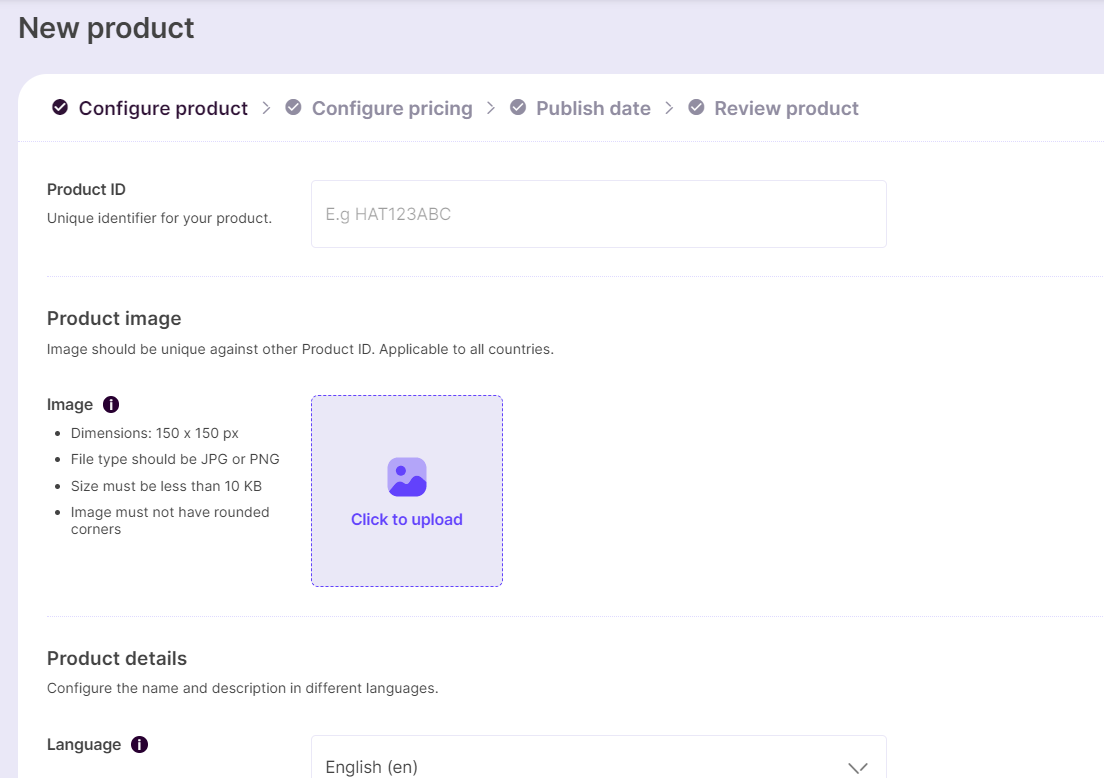
## 步骤 1:点击“New Product”并添加产品详情
**Product ID / Product SKU ID** 是您计划在 Codashop 上销售的产品的唯一标识符。该值将在交易期间通过 Codashop 集成 API 发送。
{% hint style="info" %}
📘 示例:diamonds\_50、HAT123ABC、abc.com/skin123 等
{% endhint %}
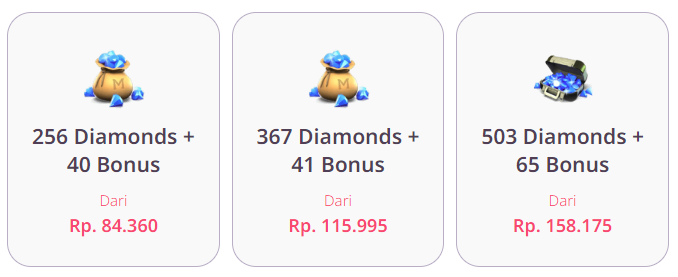
产品图片是您希望在 Codashop 上作为 SKU 图片显示的图像。请注意,图片应具有透明背景。
SKU 图片在 Codashop 上的展示示例
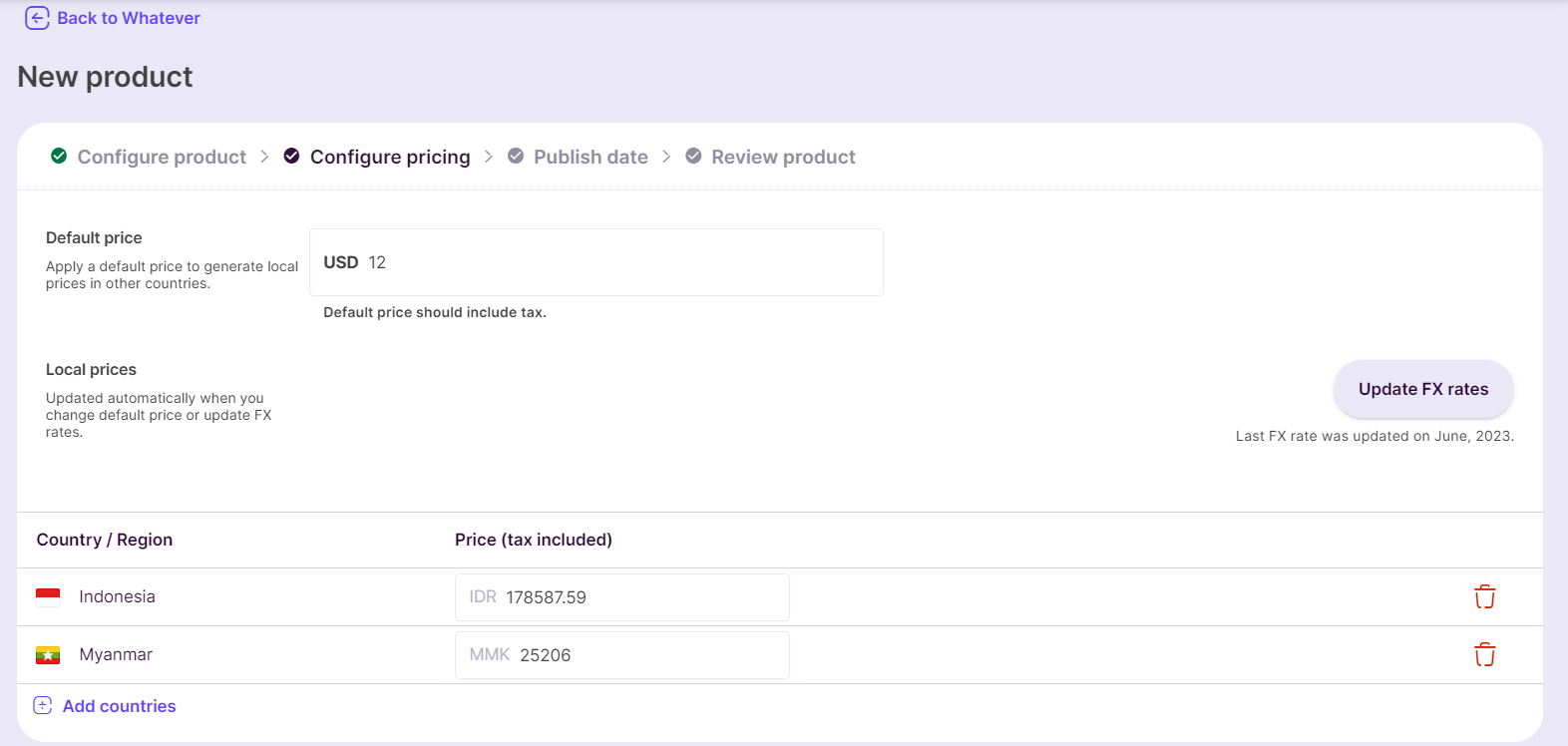
## 步骤 2:配置定价
添加默认的美元价格,并选择您希望该 SKU 上架的国家。系统将以当地货币建议相应的各国价格。
汇率为当月数据。您也可以根据需要编辑本地价格,以进一步按国家进行定制。
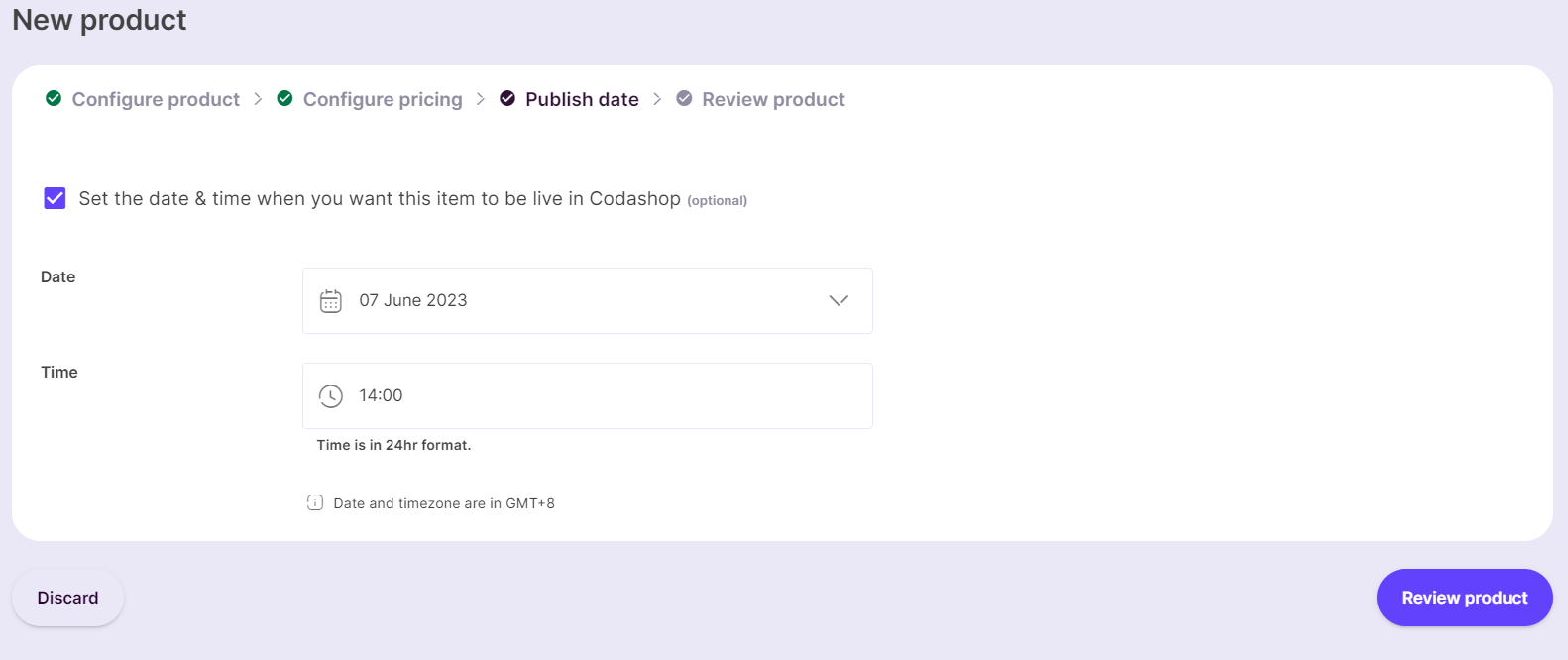
## 步骤 3:设置发布日期
您可以选择在 Codashop 上启动 SKU 的日期和时间。
## 步骤 4:提交审核
最后,检查标题详细信息,然后点击“Save to Drafts”或“Publish for review”。
{% hint style="info" %}
注意:您所请求服务的价格审核最多需要 3 个工作日完成。
{% endhint %}
您的 SKU 现已准备就绪,可以提交审核了!
---
# Agent Instructions
This documentation is published with GitBook. GitBook is the documentation platform designed so that both humans and AI agents can read, navigate, and reason over technical content effectively. Learn more at gitbook.com.
## Querying This Documentation
If you need additional information that is not directly available in this page, you can query the documentation dynamically by asking a question.
Perform an HTTP GET request on the current page URL with the `ask` query parameter, and the optional `goal` query parameter:
```
GET https://docs.coda.co/https-coda-payments.gitbook.io-zhong-wen-coda-private-technical-documentation/codashop-yu-distrubution/ti-jiao-ku-cun-sku-xiang-qing/1.-zai-coda-hou-tai-shang-chuang-jian-xin-sku.md?ask=&goal=
```
`ask` is the immediate question: it should be specific, self-contained, and written in natural language.
`goal` is optional and describes the broader end goal you are ultimately trying to accomplish on behalf of the user. GitBook uses it to tailor the answer towards what is most useful for that goal.
The response will contain a direct answer to the question and relevant excerpts and sources from the documentation.
Use this mechanism when the answer is not explicitly present in the current page, you need clarification or additional context, or you want to retrieve related documentation sections.